

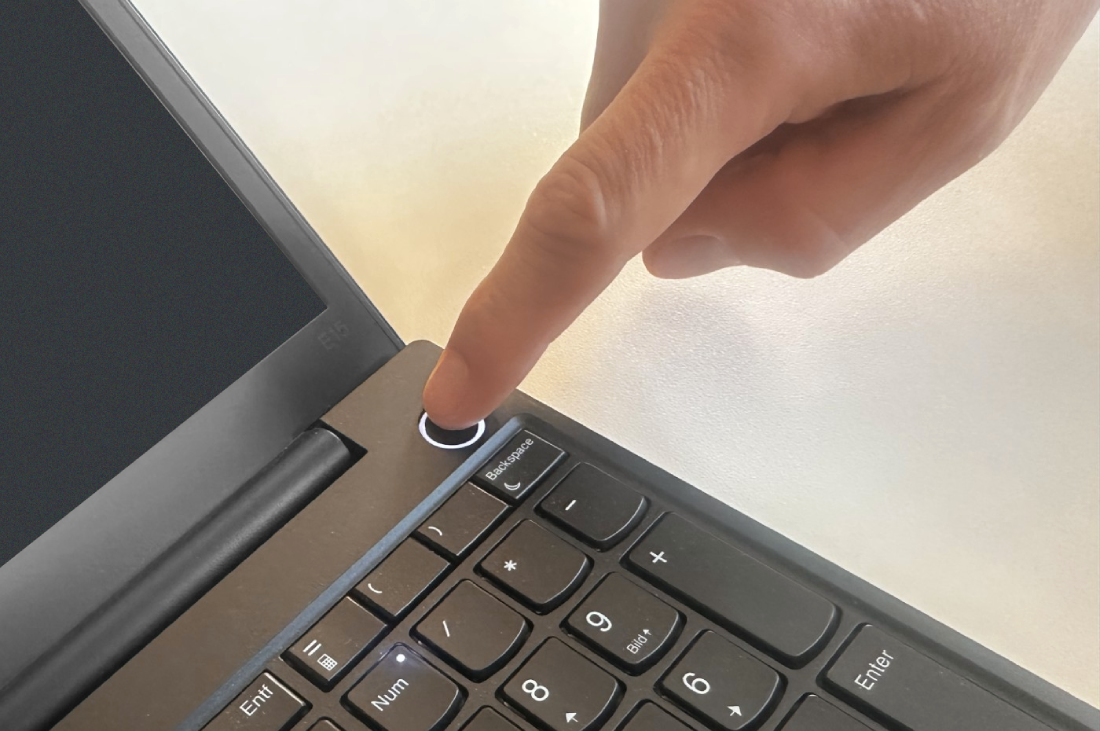
A laptop that will not start is one of the more alarming faults and one where the diagnosis is genuinely systematic. There are only a few things it can be: no power arriving, a battery that will not cooperate, a hardware fault preventing start-up, or a display problem masquerading as a dead machine.
This guide separates them in order, and each step either eliminates or confirms a category.
Indicator codes and reset procedures differ between machines, so it is worth being able to read Lenovo manuals online for the flash patterns that identify a start-up fault.
First: is it actually dead, or is the screen dark?
A machine that is running with a blank screen looks identical to one that is off, and the distinction matters enormously.
- Listen for fan noise and drive activity in a quiet room.
- Look for keyboard backlight, caps lock indicator or a power LED.
- Press caps lock and see whether its indicator toggles. If it does, the machine is running and you have a display problem.
- Shine a torch at an angle across the screen. A very faint image means the panel is working and the backlight is not.
- Connect an external monitor. An image there confirms the machine runs and isolates the fault to the internal display, its cable or the backlight.
Second: confirm power is arriving
- Check the charging indicator, if the machine has one. No indicator at all with the adapter connected suggests power is not reaching the board.
- Try a different wall socket, bypassing any extension or surge protector.
- Check the adapter’s own indicator light where it has one.
- Inspect the cable along its length, especially at both ends where flexing causes internal breaks. Damage here is common and often invisible under the insulation.
- Check the connector on the laptop for damage or debris, and check it sits firmly.
- If possible, try a known-good adapter of the correct rating. A charger of insufficient wattage may power the machine but not charge it, or refuse to do either.
On USB-C machines, try a different cable as well as a different adapter. Not every USB-C cable supports the power delivery levels a laptop needs, and a cable that charges a phone fine may not charge a laptop at all.
Third: the power drain reset
This clears residual charge from the board and resolves a meaningful share of no-start faults, particularly after a power interruption or a failed update.
- Disconnect the adapter.
- Remove the battery if the design allows it.
- Hold the power button down for around thirty seconds with no power connected.
- Refit the battery, reconnect the adapter and try to power on.
On machines with a sealed battery, some models have a small reset pinhole on the underside, and others have a specific key combination that performs the same function. That detail is model-specific and worth confirming rather than guessing.
Fourth: battery versus adapter
Two tests that isolate which is at fault:
- Remove the battery, if removable, and run on the adapter alone. If the machine starts, the battery is the problem.
- Charge with the machine off for an hour, then try. A deeply discharged battery sometimes needs time before it will accept enough charge to start the machine, and shows no sign of life in the meantime.
A battery that has swollen — visible as a bulging base, a lifting trackpad or a case that no longer sits flat — should be treated as urgent. Stop using the machine, do not charge it, and have the battery removed professionally. A swollen lithium cell is a genuine hazard, not a cosmetic issue.
Fifth: powers on then immediately off
A machine that starts and shuts down within seconds is usually protecting itself.
- Overheating, often from a completely blocked cooling path. If the machine has been running hot and loud for months, this is a strong candidate.
- Insufficient power from an underrated adapter.
- A hardware fault detected during the start-up self-test.
- Memory seated incorrectly, particularly after a recent upgrade. Reseating the modules is a reasonable check if you are comfortable opening the machine.
Many laptops signal start-up faults through beep codes or a pattern of LED flashes. That pattern maps to a specific subsystem, and the mapping is documented per model. Counting the flashes is genuinely useful information to arrive with.
Sixth: it starts but does not boot
If the manufacturer logo appears and the system does not load, the hardware is largely fine and the problem is the drive or the operating system.
- Check whether the boot device is detected in the firmware setup screen.
- Disconnect all external devices, including USB drives, which can divert the boot order.
- Try the recovery environment or safe mode.
- A drive that has disappeared from the firmware entirely, or a machine that clicks, points at drive failure.
Where a machine signals faults through LED patterns, ManualMachine.com is a practical place to look up what a given sequence means.
When to stop
Opening a laptop voids warranty on most machines and requires care with connectors and ribbon cables. Board-level faults, charging circuit problems and screen replacements are service work.
What genuinely helps is arriving with the results of these steps: whether the caps lock indicator responds, whether an external monitor shows an image, whether a different adapter changes anything, and any LED or beep pattern. That combination often identifies the fault before the machine is opened.
Frequently asked questions
Can a laptop run without a battery?
On most designs with a removable battery, yes, on the adapter alone. Some models reduce performance in that state.
Does leaving it plugged in damage the battery?
Modern machines manage charging and many offer a charge limit setting. Heat matters more than time spent connected.
Is a swollen battery an emergency?
Treat it as one. Stop using and charging the machine and have it dealt with professionally rather than removing a swollen cell yourself.
